
Select what goes.
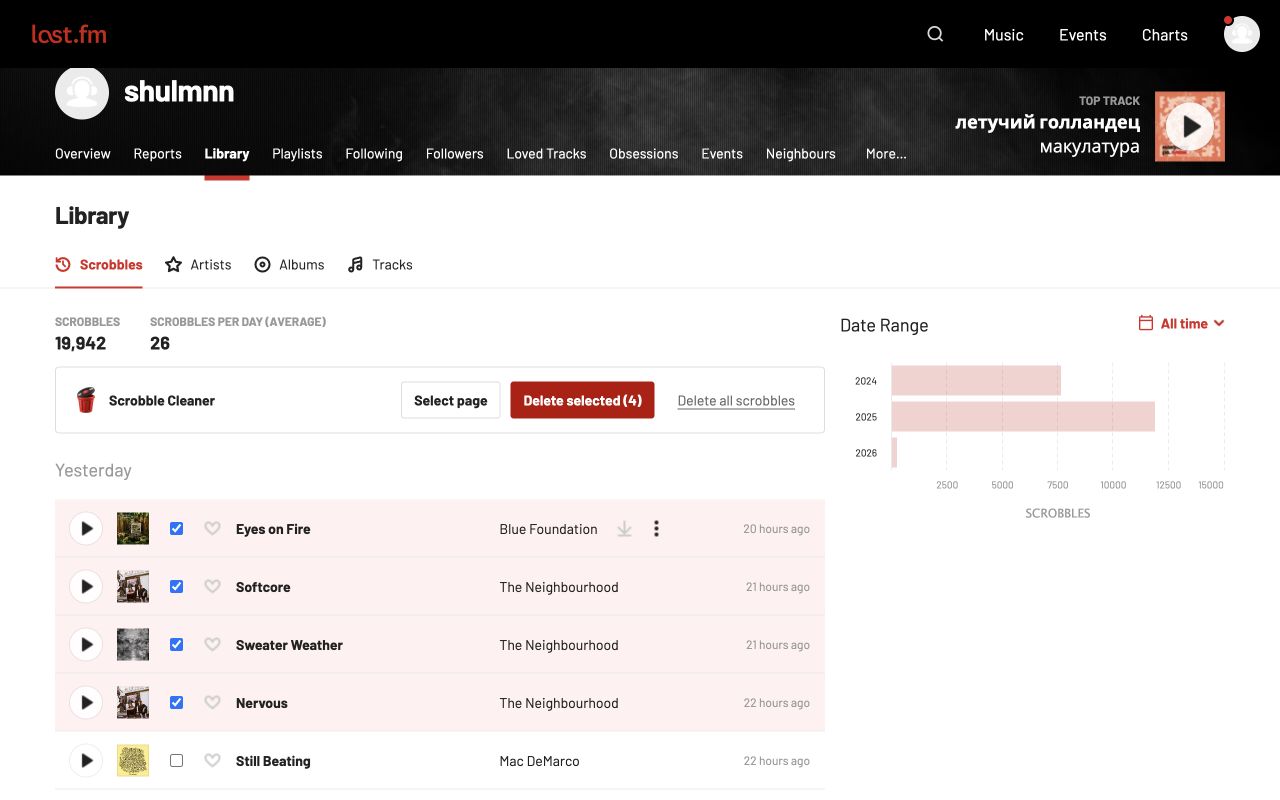
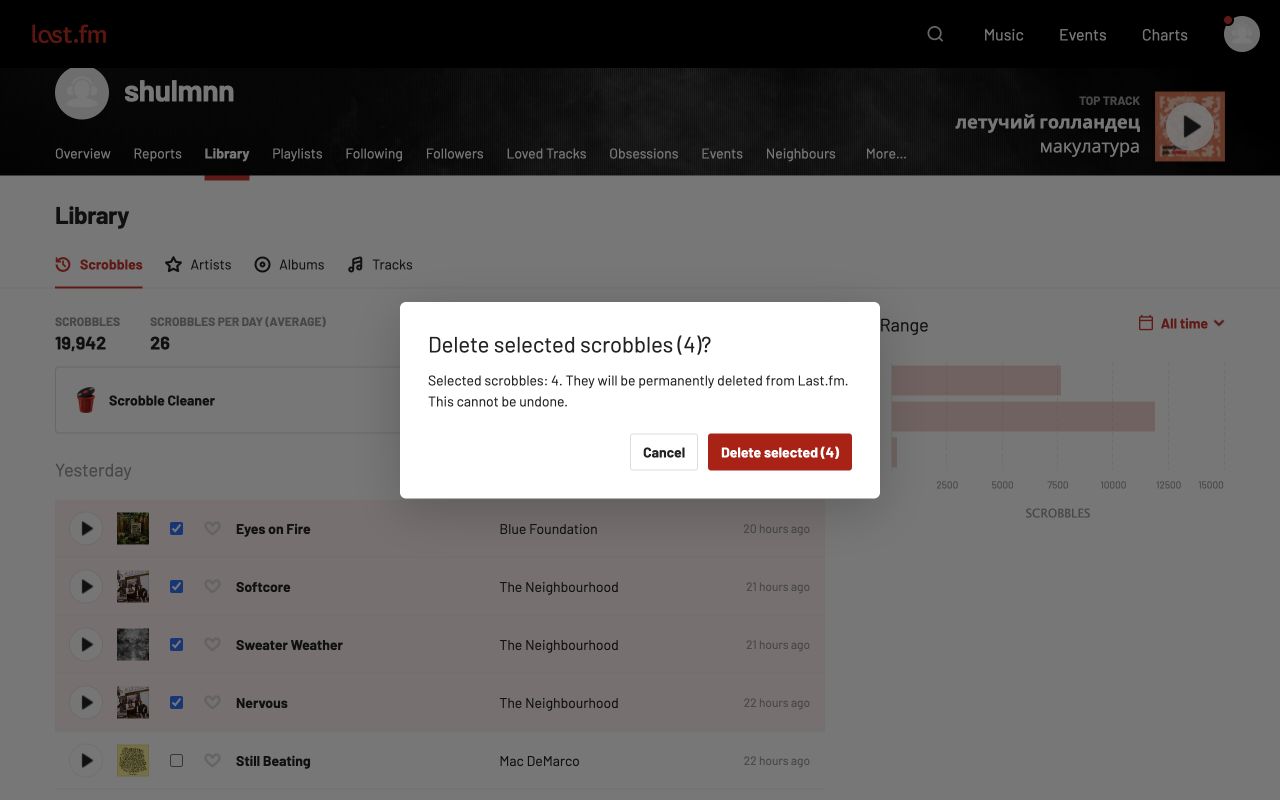
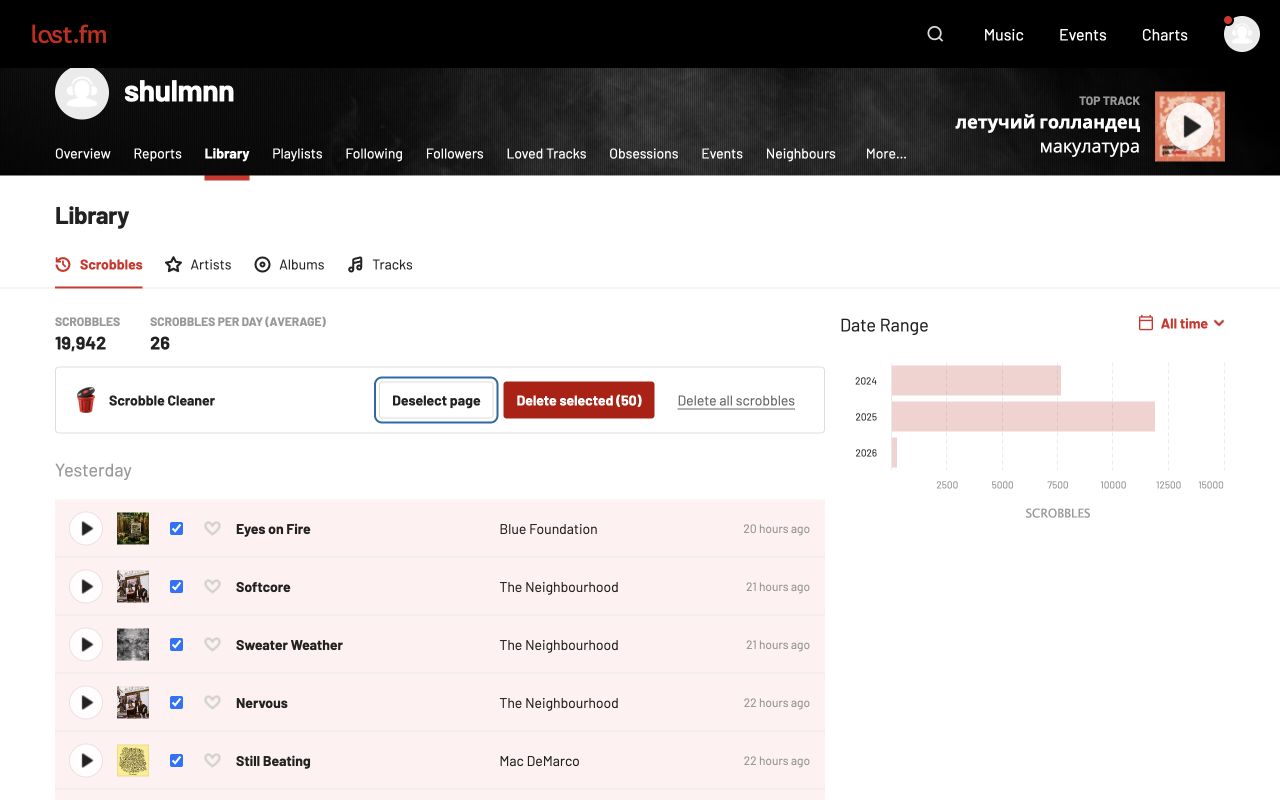
Choose individual scrobbles, Shift-select a range, or select a whole page.
 Scrobble Cleaner
Select a few scrobbles or start fresh.
Clean up your listening history, right inside Last.fm.
Free. No analytics. No external servers. 28 languages.
Choose individual scrobbles, Shift-select a range, or select a whole page.
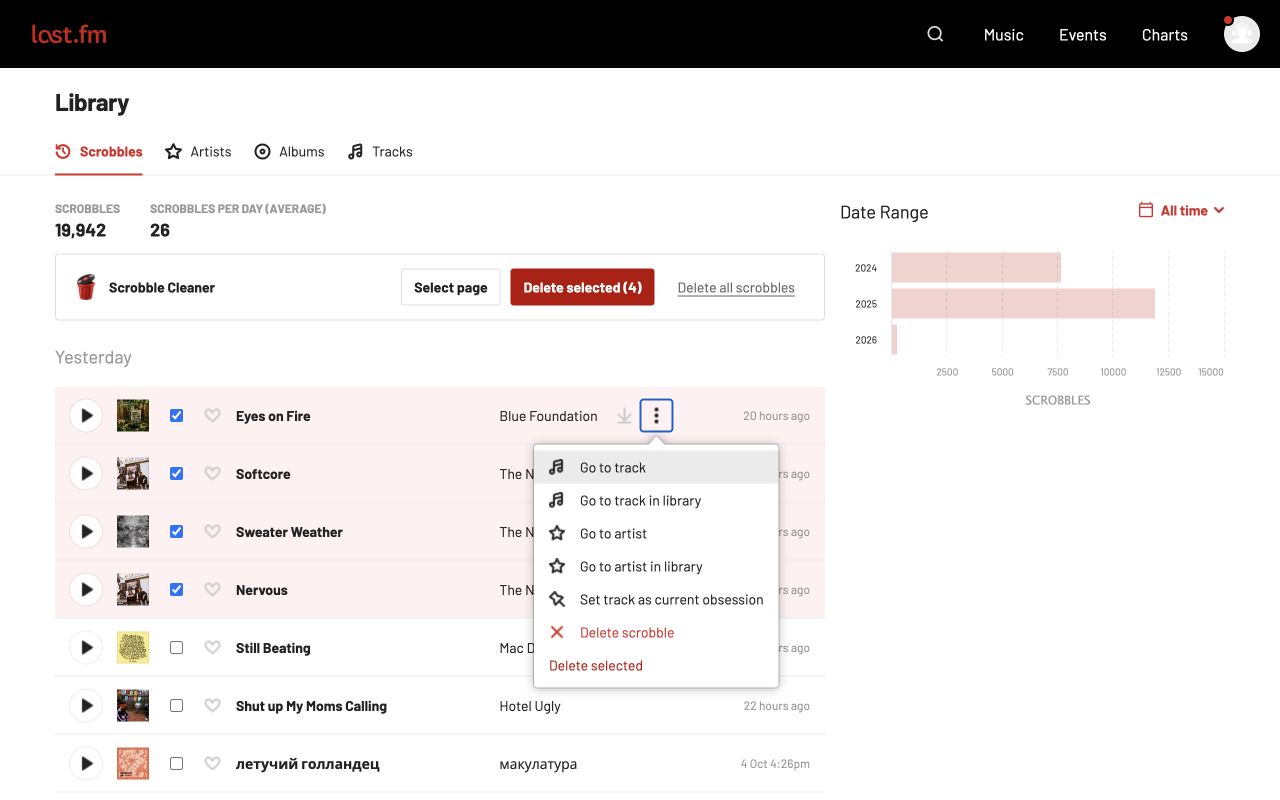
Simple checkboxes and Last.fm-style controls, right beside your music.
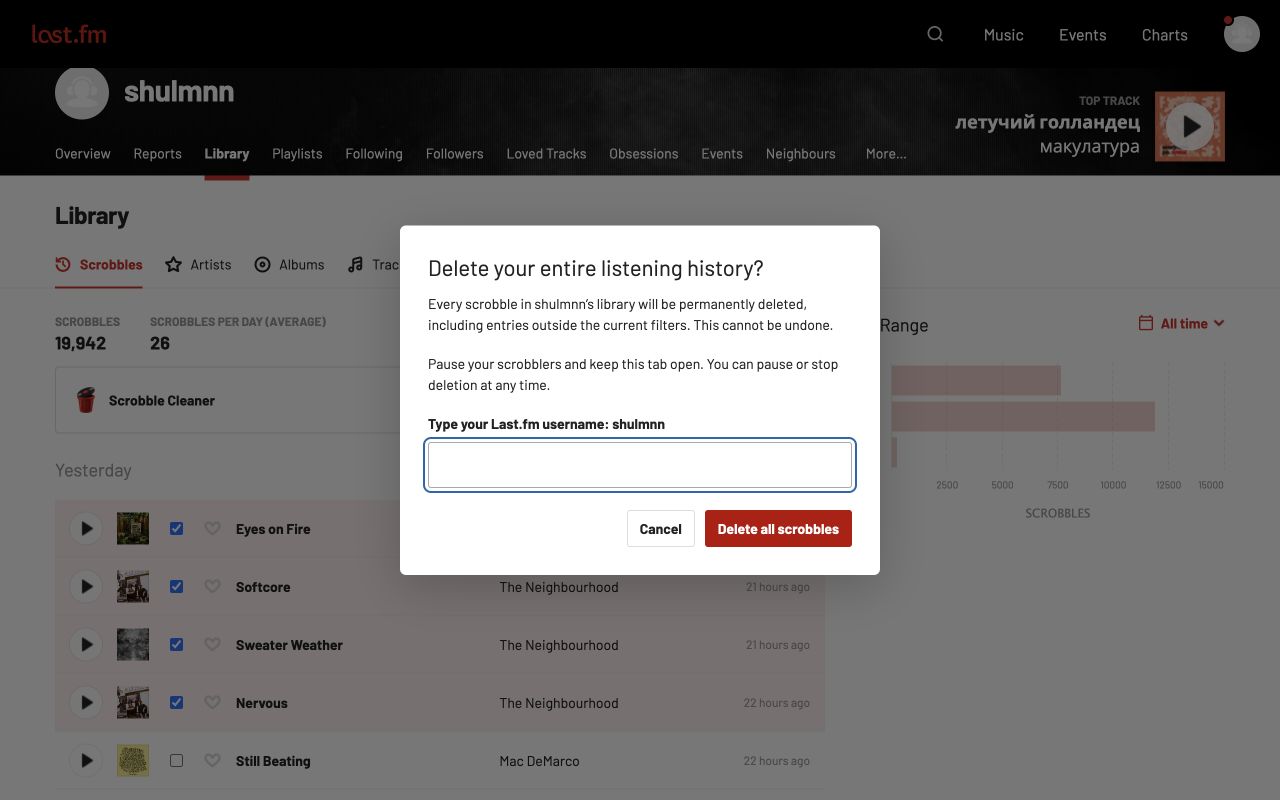
Clear your entire library with live progress. Pause or stop whenever you need.
Actual screenshots of Scrobble Cleaner running on a signed-in Last.fm library.
The controls follow the site’s language. You can choose another language in the extension popup, with support for right-to-left scripts.
English · Deutsch · Español · Français · Italiano · Português · Русский · Українська · Беларуская · Polski · Nederlands · Svenska · Suomi · Dansk · Čeština · Türkçe · 日本語 · 한국어 · 简体中文 · 繁體中文 · العربية · עברית · Bahasa Indonesia · हिन्दी · Tiếng Việt · Română · Magyar
Download the extension and load it in Chrome. The Chrome Web Store release is coming soon.
Version 1.0.0 · Free · Chrome 120 or later
chrome://extensions and enable Developer mode.